
To configure shipping for an order, you will use theConfigure Shipment Widget,which allows you to set the shipping service, package type, weight, dimensions, insurance, confirmation, and other options.
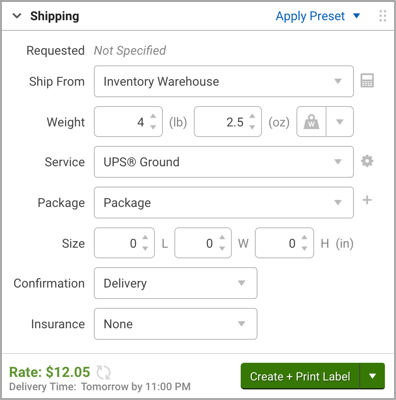
Access the Configure Shipment Widget in either the Orders grid shipping sidebar, or in the Order Details screen (to open the Order Details, either click an order number or double-click the order in the grid).
The subsequent sections in this article detail how to configure shipping for individual orders, for multiple orders at once (calledbulkupdating), and using Shipping Presets.
You can also configure shipping with various automated methods.Automation methods are covered in depth in the Automation section articles. For details on using different types of automation, please review theproduct defaults,service mapping, andautomation rulesarticles.
ShipStation University Preparing Orders for Shipping Course
If learning by doing is more your style, take theShipStation University Preparing Orders for Shipping course. The lesson videos will show you the different ways you can configure your shipments as well as how to split orders into multiple shipments or combine multiple shipments into one.
You can also include images and video.
Comments
0 comments
Please sign in to leave a comment.